
Coming soon
Verameter
A resource monitor for Apple Silicon Macs that you can talk to.
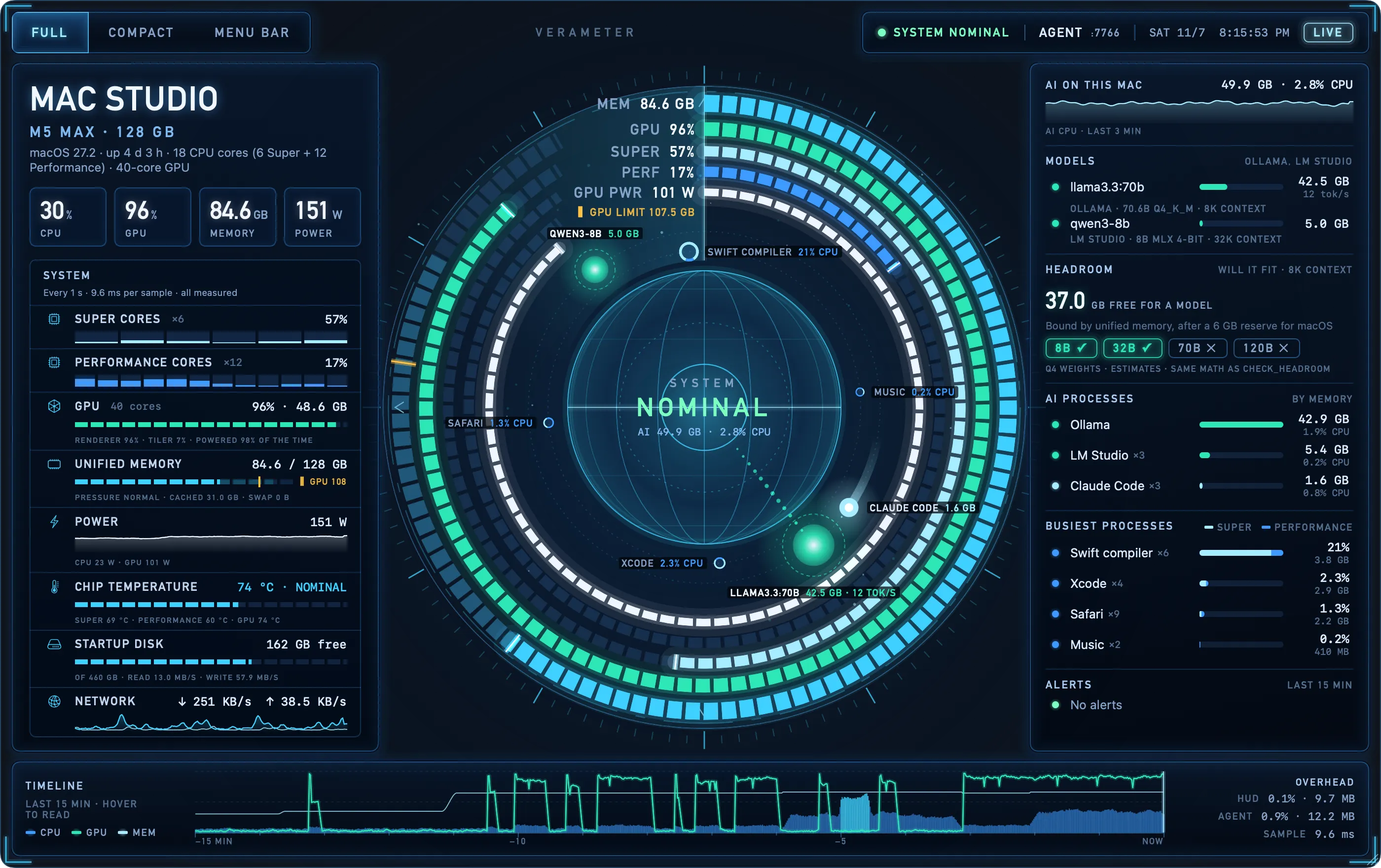
Verameter shows what your Mac's processor, graphics, memory and power are doing right now, including the AI models and coding agents running on it. Ask Vera, its assistant, why your Mac is busy, or whether a model will fit before you load it, and she answers out loud. Everything runs on your Mac. Verameter only watches, explains and recommends; it never changes anything.
What it does
- Measured power and temperatures, from the Mac's own sensors
- Knows your local AI: Ollama, LM Studio, llama.cpp, MLX and vLLM, the models they have loaded, and whether a new one will fit
- Names the AI coding agents at work by project, and shows which one started which job
- Vera, a voice assistant that runs on your Mac, using Apple's on-device model or your own local model
- Connects to AI tools such as Claude Code through its MCP server, so they can check the Mac before they act. It also offers an HTTP API and Prometheus metrics.

Requirements
Requires a Mac with Apple Silicon (M1 or later) and macOS 26 or later.
Coming soon